A Bug Report Template That Developers Do Not Hate
Five fields that matter, four commonly asked for that do not, and how to get non-technical reporters to fill in the ones that count.

Founder of FlowBoard · Full-stack developer & serial entrepreneur
The template
**What happened**
Clicking "Export CSV" on the Clients page shows a spinner
for about 30 seconds, then the page goes blank. No file
downloads and no error message appears.

**What I expected**
A CSV file to download.

**Steps**
1. Log in as an account with more than ~20,000 clients
2. Go to Clients
3. Click "Export CSV" (top right)
4. Wait

**Environment**
Chrome 129, macOS. Account: acme-corp. Around 14:20 UTC,
20 September.

**How often**
Every time. Tried four times, twice in an incognito window.
The five fields that matter
1. What happened
The observed behaviour, in the reporter's words. The single most important field and the one most often replaced with a diagnosis. "The export is broken" is not this field. "The page goes blank and no file downloads" is.
When a reporter offers a cause instead of a symptom, they are guessing, and their guess will anchor whoever picks it up. Ask for what they saw.
2. What I expected
Seems redundant. It is not, and it is the field that catches the most expensive class of bug report: the one that is not a bug. Roughly a fifth of reports turn out to be a feature working as designed against an expectation nobody had written down, and this field surfaces that in one line instead of two days.
3. Steps
Numbered, starting from a state the developer can reach. The common failure is starting in the middle: "go to the export page and click export" omits that the account needs twenty thousand clients for the bug to appear, which is the entire bug.
If the reporter cannot produce steps, that is itself information worth capturing rather than a reason to reject the report.
4. Environment
Browser, operating system, which account, roughly when. The account identifier and the timestamp matter more than the browser version, because they are what let someone find the request in the logs. Most templates ask for the browser and forget the timestamp, which is backwards.
5. How often
Every time, sometimes, or once. This is a triage field rather than a debugging one, and it is the one that most changes what happens next. A bug that fires every time is a fix. A bug that fired once is an investigation, and it needs logs rather than repro steps.
The four fields to stop asking for
Severity
Reporters cannot assess it, because severity depends on how many other users are affected and what else is in flight, neither of which they can see. What you get instead is a field where everything is High, because the person filing it is the person it is blocking.
Severity is a triage decision. Make it during triage.
Priority
Same problem, worse. Priority is a comparison between this and everything else you could do, which is a decision only the person holding the whole backlog can make. See the psychology of prioritisation.
Component or area
Asking a reporter to pick from a dropdown of your internal modules asks them to know your architecture. They will guess, the guess will be wrong often enough to be misleading, and someone will re-file it. Route it during triage where the routing is cheap and correct.
Suggested fix
Occasionally valuable from a technical reporter, and reliably harmful from everyone else. It anchors the investigation on a theory formed with less information than the developer will have in five minutes.
The general rule underneath all four: ask the reporter only for things they observed. Everything that requires judgement about your system belongs to whoever triages.
A good report and a bad one
Bad:
"Export is broken again, this is the third time. High priority, blocking the client. Probably the same caching issue as last month. Can someone look at it today?"
Nothing in there is actionable. No steps, no account, no timestamp, no description of what actually happens on screen, and a diagnosis that will send someone to look at the cache. The urgency is real and the report is useless, which is the worst combination because it generates pressure without direction.
Good: the template at the top of this article. It takes ninety seconds longer to write and saves a round trip that would have taken a day.
Getting non-technical reporters to fill it in
The template is easy. Getting a salesperson or a client to use it is the actual problem, and exhorting people to write better bug reports has never worked anywhere.
Three things that do:
Capture the environment automatically. Browser, OS, URL, account, timestamp and recent console errors can all be collected without asking. That removes the field people find most tedious and the one they get wrong most often. Tools in the in-app feedback category exist precisely for this; see FlowBoard vs Gleap.
Ask for a screen recording instead of steps. A thirty-second recording is easier to produce than written steps and usually contains more. For non-technical reporters this single substitution improves report quality more than any wording change to the form.
Make the form three fields, not eight. What happened, what you expected, how often. Every field you add reduces the completion rate, and a short report that exists beats a thorough one that the person gave up on and replaced with a Slack message.
After the report
A template improves intake. It does not help with the part where forty open bug reports sit in a list and nobody can tell which matter.
FlowBoard treats bugs as work items in the same prioritised flow as everything else, rather than in a separate tracker that becomes a graveyard, with AI-assisted grouping to catch duplicates and patterns across reports.
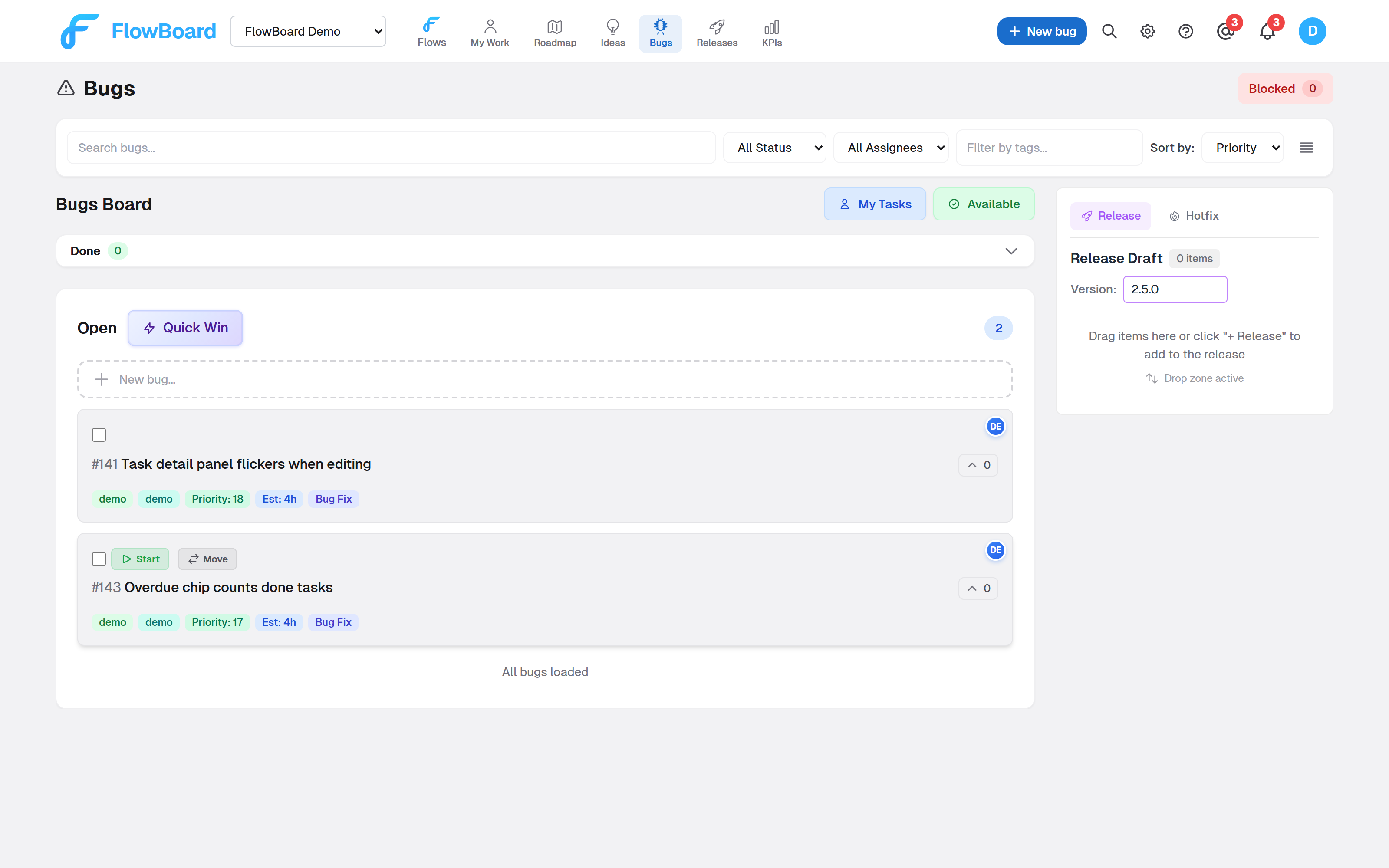
See automating bug triage for the pipeline from report to fix.
Ready to Try FlowBoard?
Start managing your projects with continuous flow. No sprints, no bloat - just ship.
Get Started FreeKeep reading
AI Agent Automation: Claude Fixes Bugs While You Sleep
Learn how a Claude Code agent autonomously picks bugs from FlowBoard, writes fixes, creates merge requests, and updates your board - no human intervention needed.
ComparisonsFlowBoard vs Gleap: When You Need PM Beyond Bug Tracking (2026)
Gleap captures feedback. FlowBoard manages what you build next. Use both together or see why teams outgrow Gleap for project management. Feature comparison inside.
CommunicationClient Communication in Project Management: Real-Time Updates Without the Meetings
Learn how to keep clients informed and engaged without constant meetings. Discover tools and strategies for transparent project communication that builds trust.
CommunicationAsynchronous Communication in Project Management: Tools and Best Practices
How async communication cuts meetings and improves output. Tools and practices for running project work across time zones without constant real-time calls.